
Minecraft crashes with Exit code 1
“Exit code: 1” only means the game closed with an error. It doesn’t explain anything by itself — the cause is in the log. Most often it’s mods, the wrong Java version or the graphics driver.
Quick fix — Why Launcher
- Start the game through Why Launcher: it downloads the Java each version needs and checks the game files before launch, so the two most common causes are gone right away.
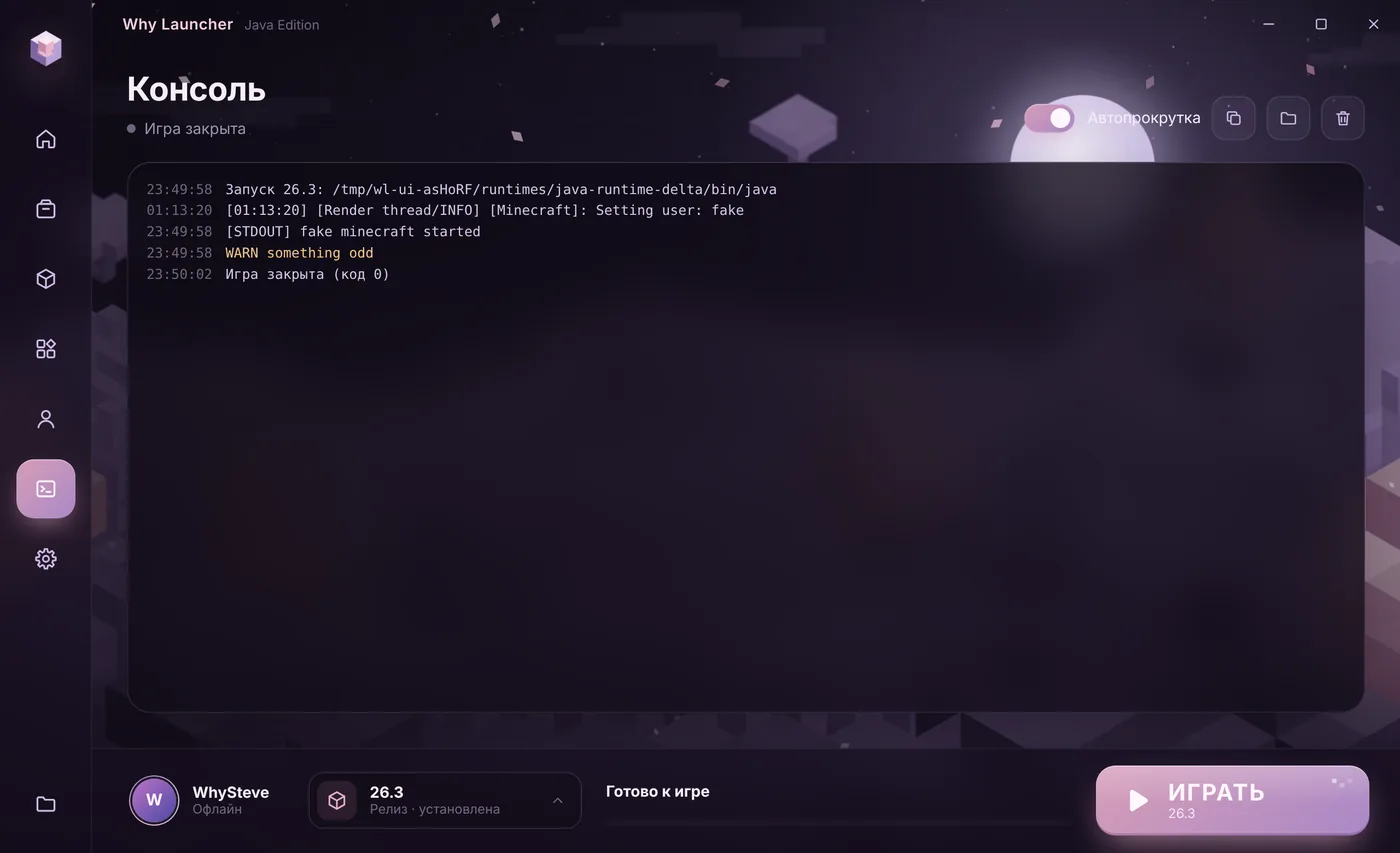
- If the game still closes, open Консоль (Console) — the full launch log is there. Look for lines with
ERROR,ExceptionorCaused bynear the end. - Crashing with mods? In Моды, паки и скины (Mods, packs and skins) → Установлено (Installed) switch off recently added mods until the game starts.
The Why Launcher interface is in Russian, so button names are given in Russian with a translation.
0 downloads from this site
Causes and fixes
- An incompatible mod. A mod for another game version or loader, a missing dependency, or two conflicting mods. Remove the latest mods and check versions. More in “Minecraft crashes with mods”.
- The wrong Java. New Minecraft versions need new Java, old ones need old Java. The version table is in “Java not found”.
- The graphics driver. Especially on laptops with integrated graphics. Get a fresh driver from NVIDIA, AMD or Intel.
- Extra JVM arguments. If you typed something into “JVM arguments”, restore the defaults — a typo there also gives Exit code 1.
- Corrupted files. Delete the version folder in
.minecraft\versionsand start it again — the game downloads anew.
If something goes wrong
- Where the log is in the official launcher —
%APPDATA%\.minecraft\logs\latest.log, and crash reports are in thecrash-reportsfolder. - Code 1 right after pressing Play almost always means Java or JVM arguments, not mods.
- A long negative code like -1073740791 is often the graphics driver — update it first.
FAQ
What do other codes mean — 0, -1, 255?
Code 0 means the game closed normally. Any other code means an error, and you look for the cause in the log just like for code 1.
Does reinstalling Minecraft help?
Rarely: worlds and mods live separately, and the problem is usually in them or in Java. Check mods and Java first — it’s faster.