
Any version
Releases, snapshots and old betas. Parallel downloads with every file verified.
A launcher for Minecraft: Java Edition on Windows. Any version from 1.8.9 to 26.3, mods and modpacks in one click, 3D skins — even on an offline account.
0 downloads from this site
Download didn’t start? Open the file on Google Drive · VirusTotal scan

1.1.4 — HD skins, capes and HD resource packs · 1.1.3 — resource pack editor · 1.1.2 — updates from this site
Full version history (in Russian).mrpack and .zip import.The launcher downloads the right Java, checks the game files and tells you if something is missing.
Releases, snapshots and old betas. Parallel downloads with every file verified.
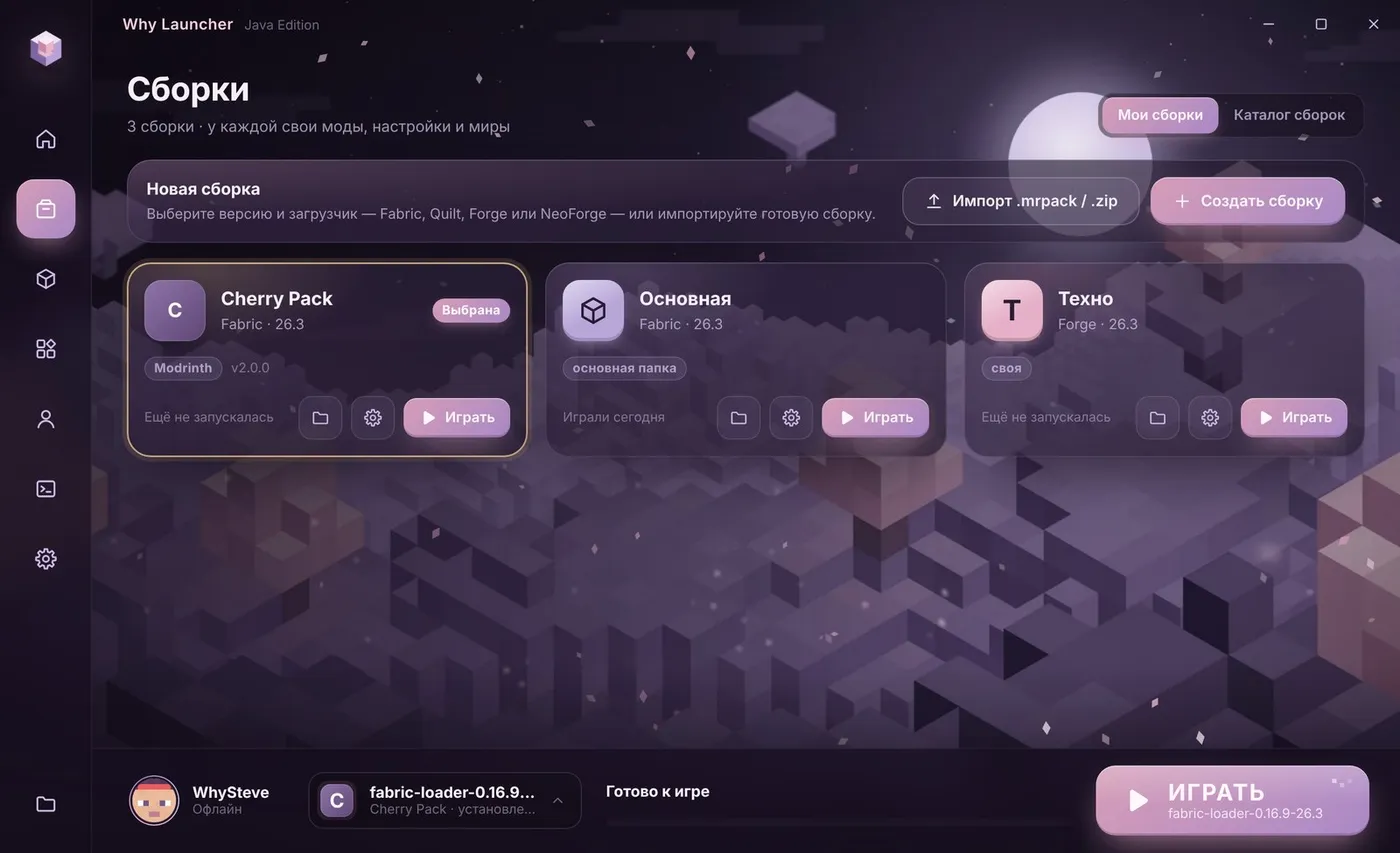
A separate folder for mods, settings and worlds. Its own version, loader and memory for each.
The loader you need installs in one click, and the launcher picks the recommended version.
Search two catalogs, install with dependencies, switch mods on and off without deleting them.
Paint right on the 3D model: 64×64 or HD up to 1024×1024, any picture on the face or chest. Next to it — a cape editor.
Your skin and your own cape show in game even without a license. Microsoft sign-in is there too.
Download it from optifine.net right inside the launcher. In vanilla it becomes a separate version, in a Forge profile a mod.
Friends see “Playing Why Launcher”, the game version and play time.
Repaint any block or item — from 16×16 to HD 1024×1024, paste your own picture or bring a block to life with frames, like water.

An overview and the 1.1 update on the Why Mods channel. The videos are in Russian — YouTube can auto-translate the subtitles.
Worlds and settings live apart from the program, so updating or uninstalling never touches them.
Press Download for Windows — Why.Launcher.Setup.exe starts downloading right away. If the browser asks whether to keep the file, press Keep.
No admin rights needed. If a blue SmartScreen window appears, press More info → Run anyway: the launcher has no paid code signature yet.
Sign in with Microsoft or create an offline account with a nickname, pick a version and press Play. The launcher downloads Java itself.
88ce2462a021e5c28544a3eb13f7d4a441596d73b76e543513a86230c2b33216
VirusTotal report: 1 of 67 engines flagged it. The only hit is Trapmine — a machine-learning heuristic (Malicious.moderate.ml.score), not a detected virus. This is common for new unsigned programs.
Yes, completely. No ads, no payments. To play on licensed servers you need a purchased Minecraft and a Microsoft sign-in.
From 1.1.2 on the launcher updates itself: an “Update” button appears at the top of the window. On 1.0, 1.1.0 or 1.1.1, download the installer from this site once and run it over the old version — worlds, profiles and accounts stay.
The game is in %APPDATA%\.whylauncher (you can change the folder in settings). Profiles are in %APPDATA%\.whylauncher\profiles. Launcher accounts and settings are in %APPDATA%\Why Launcher.
OptiFine works only without mods or with Forge. For Fabric, install Sodium and Iris from the mod catalog: they are faster and support shaders too.
CurseForge opens its catalog only with a free personal API key. Get one at console.curseforge.com and paste it into “Settings → Content sources” (the launcher interface is in Russian). The key stays on your computer. Modrinth works without a key.
“Windows Settings → Apps → Why Launcher → Uninstall”. Worlds stay in place by default.
Step-by-step guides: manually and in a minute with Why Launcher.

Version 1.1.2 for Windows 10 and 11. Free, no ads, no sign-up. The launcher interface is in Russian.
0 downloads from this site