
How to install Minecraft mods
Mods can change anything — from new mobs to whole new dimensions. For a mod to work you need a loader (Forge, NeoForge or Fabric) of the same version as the mod.
With Why Launcher — in a minute
- Download and install Why Launcher.
- Create a profile with the loader the mod needs: Сборки (Profiles) → Создать сборку (Create profile).
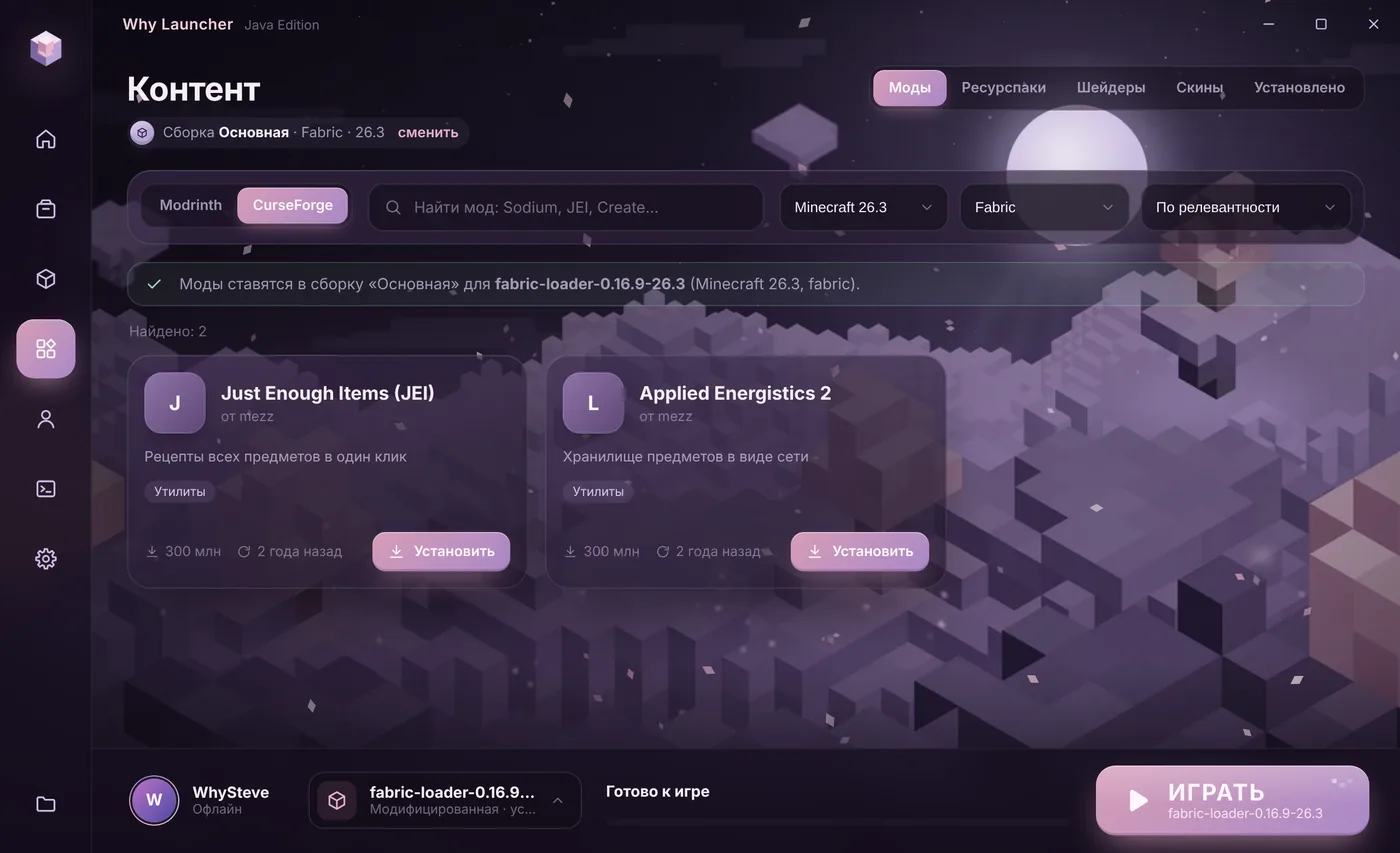
- Open Моды, паки и скины (Mods, packs and skins) → Моды (Mods), choose Modrinth or CurseForge and search for the mod. Press Установить (Install): the launcher takes the file for your version and loader and installs dependencies.
- On the Установлено (Installed) tab you can switch mods off without deleting them — handy when something crashes.
The CurseForge catalog needs a free personal key: get it at console.curseforge.com and paste it into Настройки (Settings) → Источники контента (Content sources). Modrinth works without a key. The Why Launcher interface is in Russian, so button names are given in Russian with a translation.
0 downloads from this site
Manually
- Install the loader the mod is made for: Forge, NeoForge or Fabric.
- Download the mod from modrinth.com or curseforge.com. On the files page pick the file for your Minecraft version and your loader.
- Check the mod’s dependencies — Fabric API or Cloth Config, for example — and download them too.
- Press Win + R, type
%APPDATA%\.minecraftand press Enter. Open themodsfolder, or create it if it’s missing. - Put the
.jarfiles there. Don’t unpack them. - Start the game with the loader’s installation in the official launcher.
If something goes wrong
- The mod doesn’t show up in game — check that you started the loader’s installation, not plain Minecraft, and that the mod is for the same Minecraft version.
- The game crashes — a dependency is missing or two mods conflict. Remove the latest mods one by one.
- Download mods only from Modrinth and CurseForge. Other sites carry old versions and sometimes malware.
FAQ
Where do mods go?
Into the mods folder inside %APPDATA%\.minecraft. In Why Launcher every profile has its own folder, and mods install from the catalog without copying files.
Can I play with mods on a server?
Mods that add blocks and mobs must be on both the server and the player. Client-only mods — minimaps, Sodium, shaders — work on any server.
Do mods work without a license?
Mods don’t depend on the license: they work on an offline account in Why Launcher too. Licensed servers need a purchased Minecraft.