
How to install NeoForge for Minecraft
NeoForge is the continuation of Forge, founded in 2023 by most of its developers. For newer Minecraft versions — 1.20.2 and up — many popular mods are released on NeoForge.
With Why Launcher — in a minute
- Download and install Why Launcher.
- Open Сборки (Profiles) → Создать сборку (Create profile), pick a Minecraft version and the NeoForge loader.
- Press Создать (Create), then Играть (Play): NeoForge and Java download by themselves.
In an existing profile NeoForge installs with the button on the loader bar in Моды, паки и скины (Mods, packs and skins). The Why Launcher interface is in Russian, so button names are given in Russian with a translation.
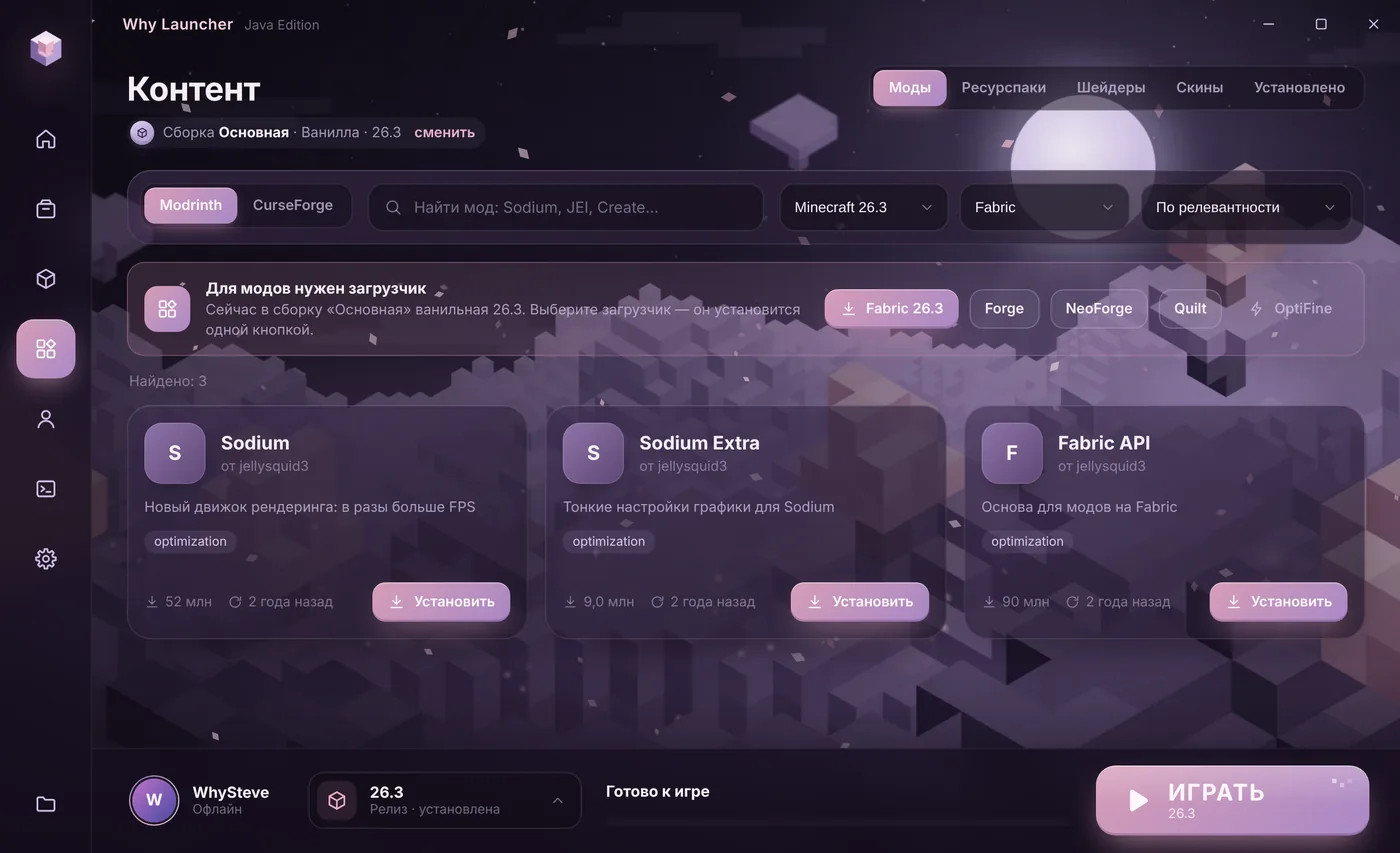
0 downloads from this site
Manually with the official installer
- Run the version you need in the official Minecraft Launcher at least once.
- Open neoforged.net. In the download form on the home page pick the Minecraft version and the NeoForge version and download the installer —
neoforge-…-installer.jar. The number hints at the game version: NeoForge 21.1 is for Minecraft 1.21.1. - Run the file. If the file opens as an archive or doesn’t start at all, the computer has no Java: install it from adoptium.net (Temurin, LTS version) and run the file again.
- Choose Install client and press OK.
- In the official launcher pick the NeoForge installation and press Play. Mods go into
%APPDATA%\.minecraft\mods.
If something goes wrong
- For 1.20.1 use Forge: almost all mods for that version are released on Forge.
- Forge mods don’t run on newer NeoForge, and vice versa. Modrinth and CurseForge always list the loader for each file.
- Shaders on NeoForge work through Iris. See the shaders guide.
FAQ
Forge or NeoForge — which one?
Whichever your mods are made for. For 1.20.1 and older it’s usually Forge, for 1.20.2 and newer usually NeoForge.
Can I move worlds from Forge to NeoForge?
A vanilla world opens anywhere. A modded world opens only with the same mods — some blocks may vanish when you switch loaders, so make a copy first.