
How to install a modpack
A modpack is a ready set of mods, settings and a loader. The most popular ones live on Modrinth (.mrpack files) and CurseForge (.zip files).
With Why Launcher — in a minute
- Download and install Why Launcher.
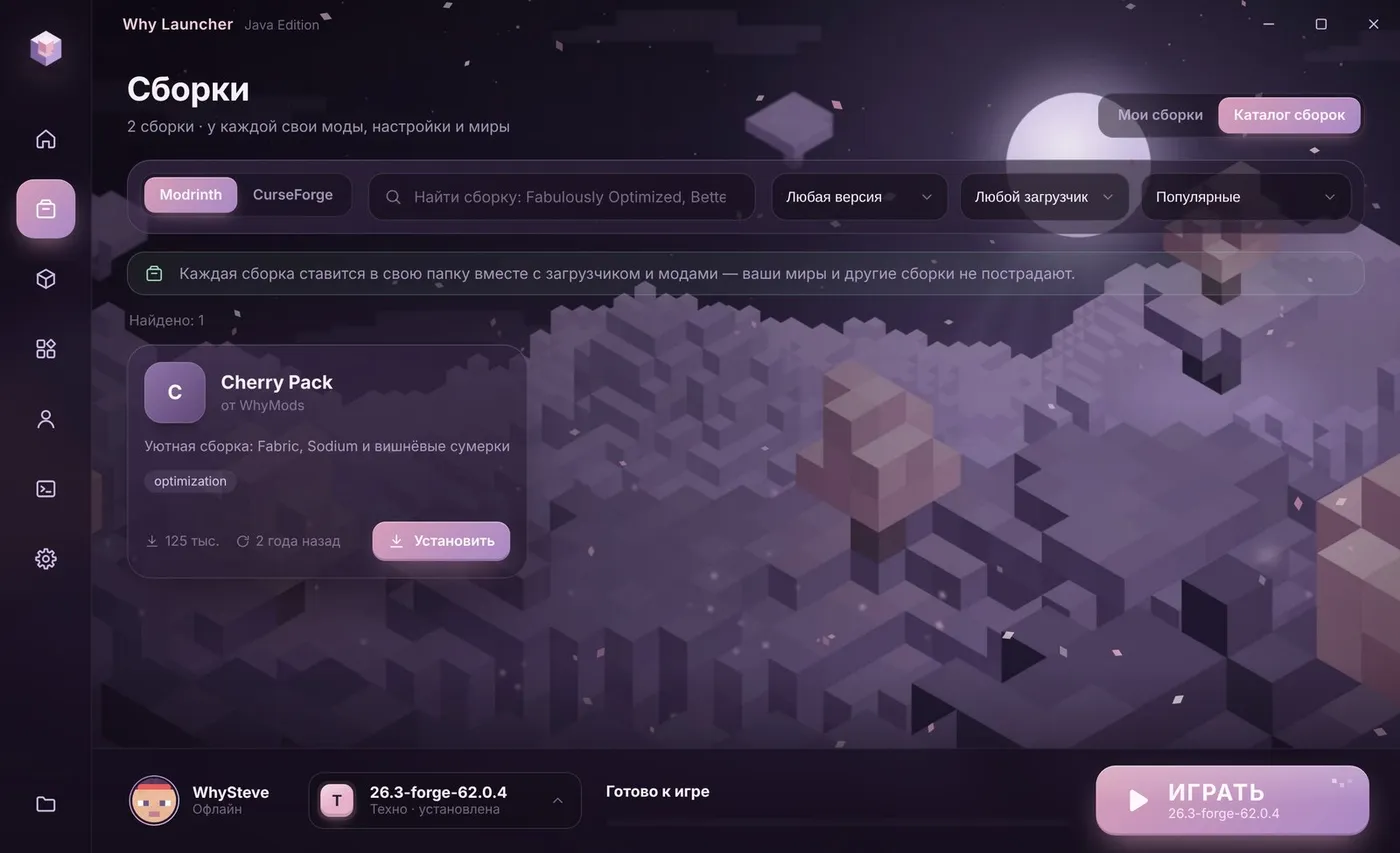
- Open Сборки (Profiles) → Каталог сборок (Modpack catalog) and search for the pack.
- Press Установить (Install). The launcher creates a new profile and installs the loader, mods and settings.
- Downloaded the pack as a file? Press Импорт .mrpack / .zip (Import) and pick it.
- Give big packs more memory: the gear on the profile card → Своя память для этой сборки (Own memory for this profile).
The Why Launcher interface is in Russian, so button names are given in Russian with a translation.
0 downloads from this site
What about without a launcher?
The official Minecraft Launcher can’t install modpacks. Doing it by hand is tedious: the pack file only holds a list of mods and the settings, and every mod has to be downloaded separately. That’s why packs are installed with launchers that can do it.
- Look up the Minecraft version and loader on the pack page and install that loader — Forge or Fabric, for example.
- Download every mod from the pack’s list for the same version and put them into the
modsfolder. - Copy the
overridesfolder (settings) from the pack archive into.minecraft. - Give the game 6–8 GB of memory and start the loader’s installation.
If something goes wrong
- The first start of a pack takes long — the game prepares hundreds of mods. That’s normal.
- OutOfMemoryError — add memory. See “How much RAM for Minecraft”.
- The right Java — every Minecraft version needs its own Java. Why Launcher downloads it by itself.
FAQ
What is an .mrpack file?
Modrinth’s modpack format: a list of mods with links and the settings. Why Launcher opens it with the “Импорт .mrpack / .zip” button.
Can I add my own mods to a pack?
Yes. In Why Launcher pick the profile and install mods in “Моды, паки и скины” (Mods, packs and skins) — they go only into that profile.