
How to change your Minecraft skin
A skin is a 64×64 picture wrapped around your character. On a licensed account you change it on the website or in the official launcher. Offline accounts have no official way — that’s where Why Launcher helps.
With Why Launcher — in a minute
- Download and install Why Launcher.
- Open Моды, паки и скины (Mods, packs and skins) → Скины (Skins). Pick a skin from the NovaSkin catalog right in the launcher, or press Импорт PNG (Import PNG) if you already have the file.
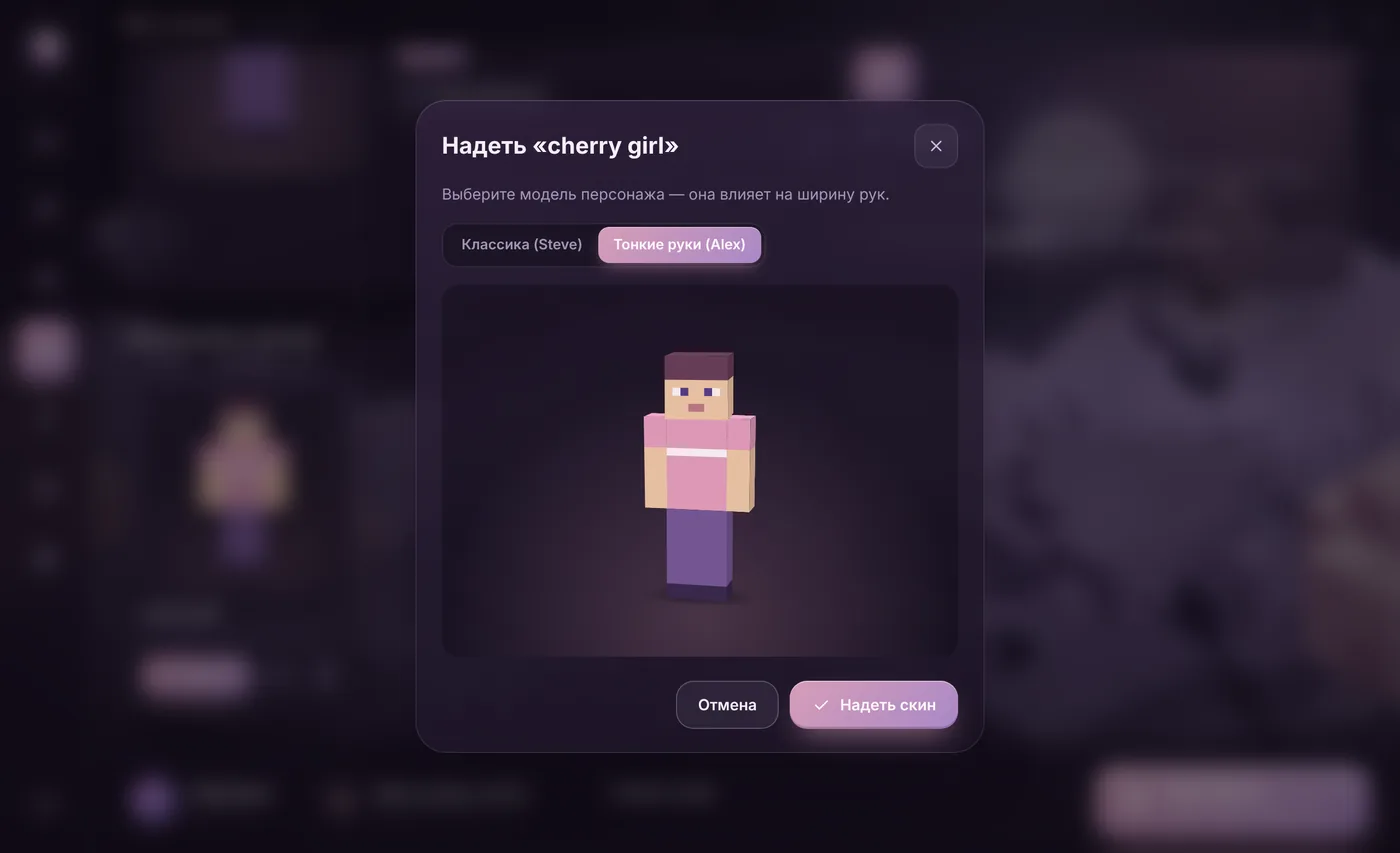
- In your collection press Надеть (Wear) and pick the model: classic (Steve) or slim arms (Alex).
- Start the game — the skin is on your character. This works on licensed and offline accounts alike.
Want your own skin? Press Нарисовать скин (Draw a skin) or Редактировать (Edit) on any skin: paint right on the 3D model at 64×64 or HD up to 1024×1024, and Картинка на скин (Picture on skin) puts any picture on the face or chest. Below, under Плащи (Capes), you can draw your own cape. The Why Launcher interface is in Russian, so button names are given in Russian with a translation.
0 downloads from this site
Licensed — the official way
- Download a skin — a 64×64
.pngfile — from a skin site, or draw your own. - Open the official Minecraft Launcher, pick Minecraft: Java Edition and the Skins tab.
- Press New skin, choose the file and the arm model: classic or slim.
- Save and use it. The skin changes on every server because it’s stored on Mojang’s servers.
If something goes wrong
- On an offline account you see the Why Launcher skin yourself in game. Other players on a server see it only if the server supports skins itself — with the SkinsRestorer plugin, for example.
- The skin looks broken — check the size: it must be a 64×64 PNG (the old 64×32 format also works) with the right arm model.
- The skin didn’t change on a licensed account — restart the game: the new skin loads on login.
- An HD skin (128×128 and up) shows in vanilla only as its 64×64 copy. To see it at full size, add the CustomSkinLoader mod to the profile — Why Launcher hands it the HD skin itself. On a licensed account the HD skin is uploaded as a 64×64 copy.
FAQ
Where do I get skins?
Why Launcher has the NovaSkin catalog built in: press “Download” on a skin you like and it goes straight into your collection. You can also download skins from sites like NovaSkin and The Skindex.
What’s the difference between Steve and Alex?
Only the arm width: Alex’s arms are one pixel thinner. Pick the model that matches the skin — slim arms on a classic model leave stripes.
How do I get my own cape?
In Why Launcher: Скины (Skins) → Плащи (Capes) → draw one or make it from a picture. The cape shows in game on an offline account — on the back and on elytra, HD capes up to 1024×512 too. On a licensed account Mojang only allows the capes the account owns.
Are there animated skins?
Not in the game itself: Minecraft and skin mods only show a still picture. Animated textures exist for blocks in resource packs — water, lava, fire.