
Minecraft crashes with mods
Almost every modded crash is one of four causes: a mod for another version or loader, a missing dependency, two conflicting mods, or a mod running out of memory. You can find the culprit in a few minutes.
Quick fix — Why Launcher
- Install mods from the catalog in Моды, паки и скины (Mods, packs and skins): Why Launcher picks the file for your game version and loader and installs dependencies — so “wrong version” and “missing dependency” errors don’t happen.
- If the game crashes, open Установлено (Installed) and switch off half of the mods. Starts now — the culprit is in the switched-off half; still crashes — it’s in the active half. Repeat until one mod is left.
- The crash log is in Консоль (Console).
The Why Launcher interface is in Russian, so button names are given in Russian with a translation.
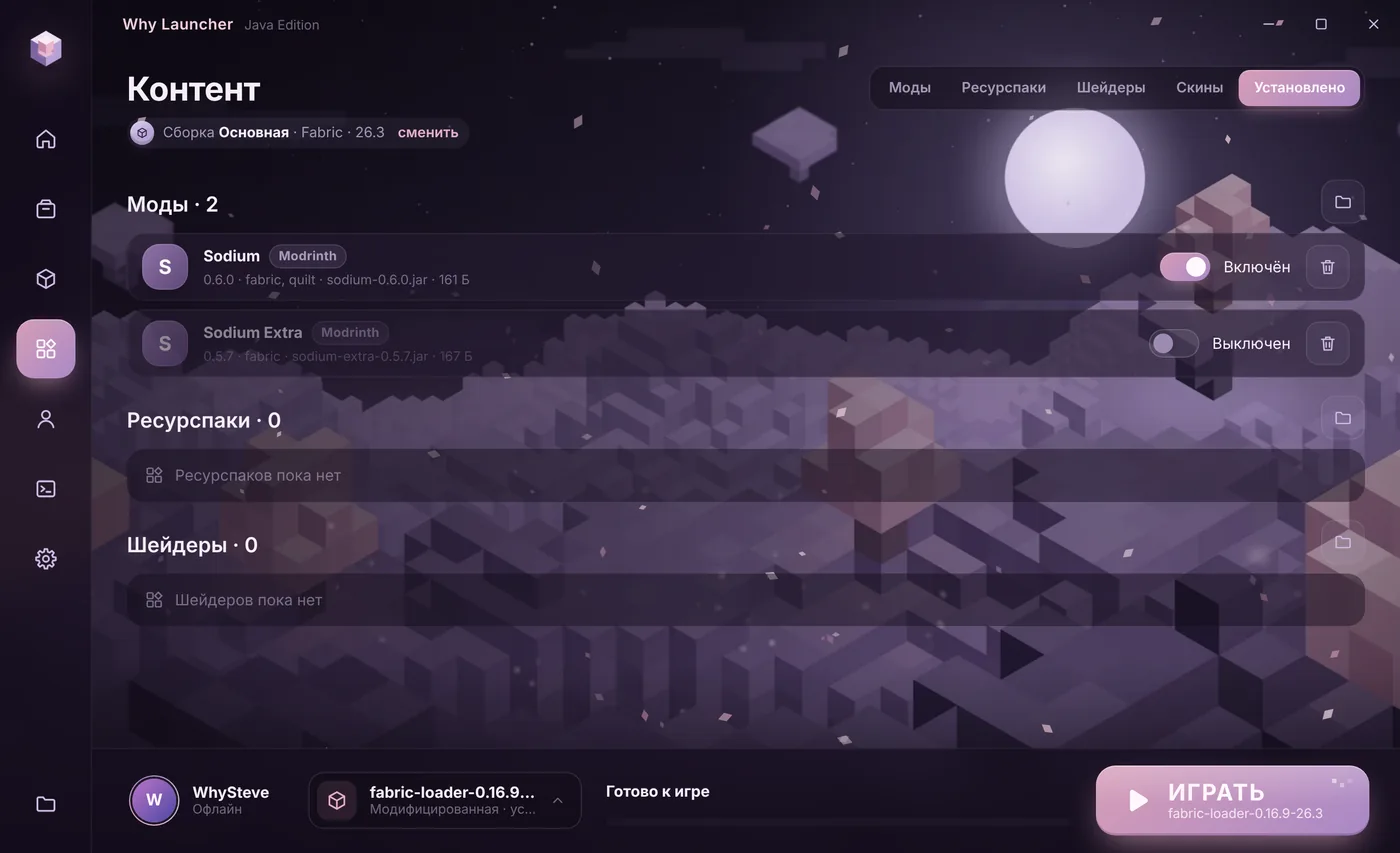
0 downloads from this site
How to read a crash report
- Open the newest file in
%APPDATA%\.minecraft\crash-reportsor thelogs\latest.loglog. - “requires … which is missing”, “Missing or unsupported mandatory dependencies” — a dependency mod is missing or the wrong version. Download it for your game version.
- “Incompatible mods found” or two mods named side by side — the mods conflict. Remove one of them.
- “Mixin apply failed” with a mod name — that mod doesn’t fit the game version or another mod. Update it or remove it.
- A mod for another loader — a Fabric mod in a Forge profile, for example. Check the loader of every mod.
- OutOfMemoryError — the mods ran out of memory. See the memory article.
If something goes wrong
- The halving method always works: remove half the mods until you find the culprit. Seven launches are enough for 100 mods.
- OptiFine and Sodium together don’t work — keep one.
- Client-only mods (minimaps, shaders, Sodium) don’t belong on a server — it may refuse to start.
FAQ
The game crashes when entering a world, but the menu opens
Usually it’s a mod that adds blocks, mobs or world generation. Use the halving method, starting with the most recent mods.
A world won’t open after a mod update
Go back to the previous mod version and copy the world before updating again. New mod versions are sometimes incompatible with old worlds.