
How to install OptiFine
OptiFine raises FPS and adds graphics settings, shader support and HD textures. You can install it as a separate game version or as a mod alongside Forge.
With Why Launcher — in a minute
- Download and install Why Launcher.
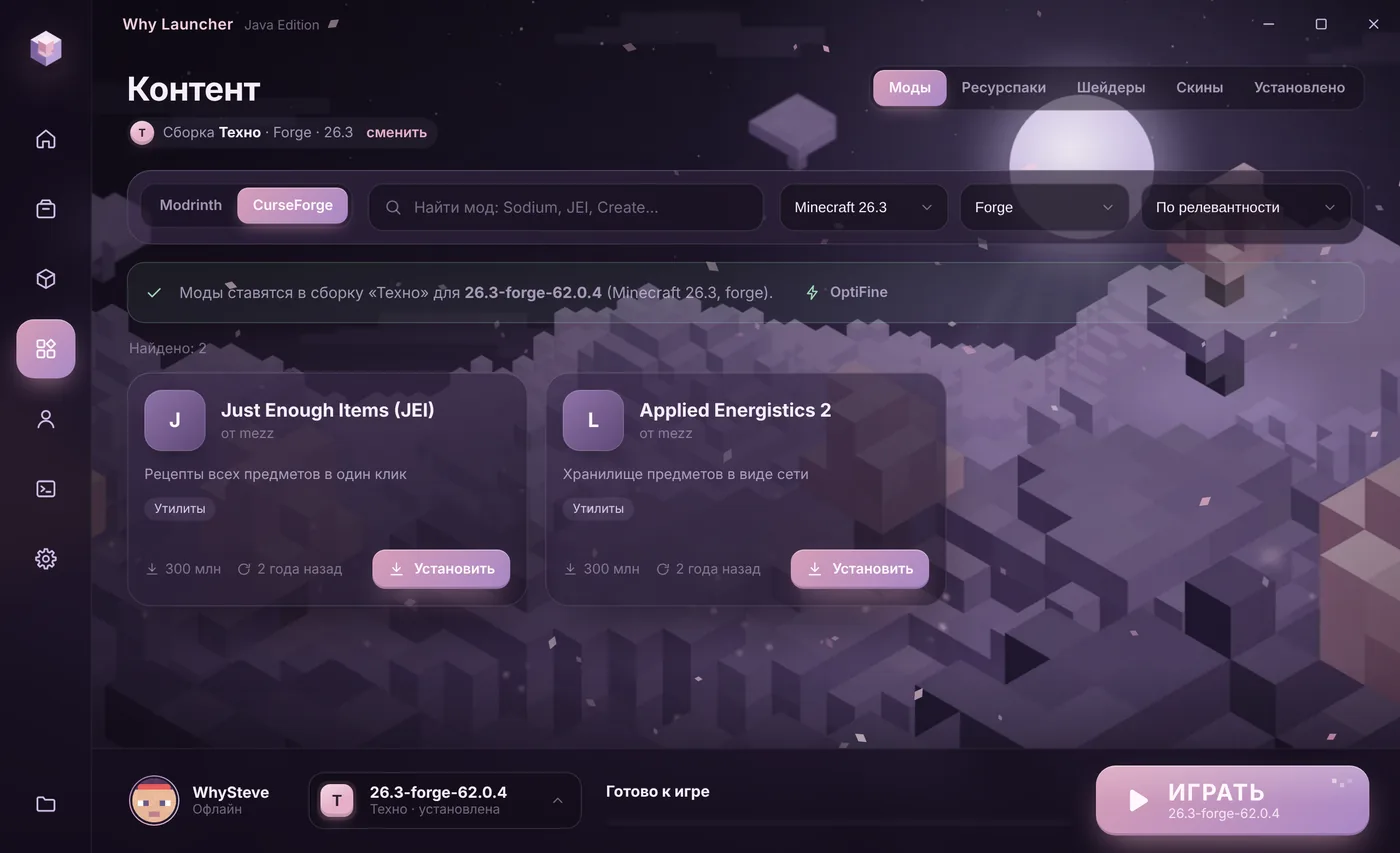
- Open Моды, паки и скины (Mods, packs and skins) and press OptiFine on the loader bar. The official optifine.net site opens right inside the launcher.
- Press Download next to the version you need. The launcher downloads and installs OptiFine: without mods it becomes a separate version, in a Forge profile a mod.
The Why Launcher interface is in Russian, so button names are given in Russian with a translation.
0 downloads from this site
Manually from optifine.net
- Open optifine.net → Downloads and find your Minecraft version. Press Download (or Mirror).
- An intermediate page opens. Wait a few seconds and click the link to the
OptiFine_….jarfile. - Double-click the file and press Install. An OptiFine installation appears in the official launcher. If the file opens as an archive or doesn’t start at all, the computer has no Java: install it from adoptium.net (Temurin, LTS version) and run the file again.
- With Forge don’t run the installer: put the OptiFine file into
%APPDATA%\.minecraft\modsnext to your other mods. The matching Forge version is listed in the download table on optifine.net.
If something goes wrong
- OptiFine doesn’t work with Fabric. Use Sodium and Iris — see the Fabric guide.
- Versions marked preview are test builds and can have bugs. If the game crashes, take a regular release.
- Shaders in OptiFine: Options → Video Settings → Shaders. How to get them — in the shaders guide.
FAQ
OptiFine or Sodium?
Sodium usually gives more FPS but works only on Fabric and NeoForge, with Iris for shaders. OptiFine is for playing without mods or with Forge.
Why doesn’t OptiFine see Forge?
Most likely the versions don’t match. Check the table on optifine.net for the Forge version the file supports and install exactly that one.